Dead zones we solve
- Basement offices and rec rooms — Calgary's classic, thanks to long floor plans and below-grade concrete
- Back bedrooms and bonus rooms — the far end of NW bungalows where the router's signal gives up
- Garages and shops — for the workbench laptop and the garage-door camera
- Rental suites — basement tenants deserve full bars too
Your solution options (we install all of them)
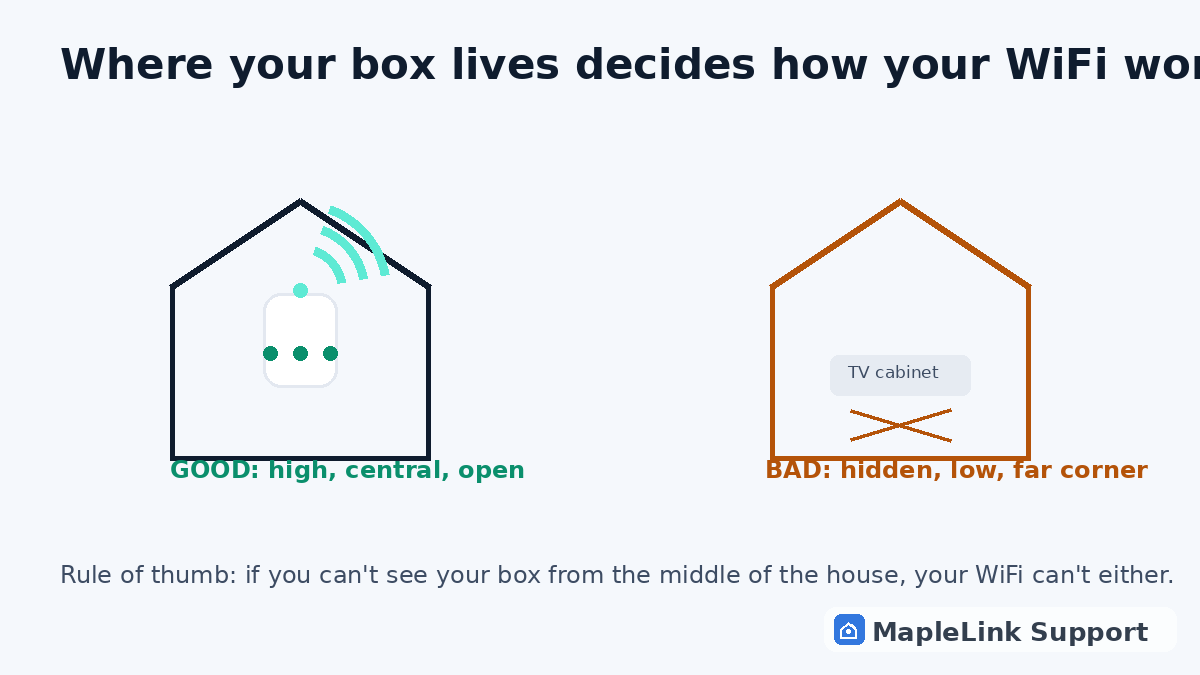
- Placement fix — free-ish: moving the main box central and high often ends small dead zones entirely
- Mesh pods — halfway placement, one per problem area, tuned properly
- Wired access point or powerline adapter — when a wire (or your electrical grid) beats wireless
- Hardware upgrade — only when your router is genuinely the bottleneck, with honest advice about what you do and don't need
How we diagnose it
We walk your home with signal-testing tools, map where coverage dies and why (walls, appliances, interference, distance), then quote the fix that actually matches the cause — not the most expensive option in the van.
Book your Calgary visit
Flat $139 · diagnosis + repair included · evening & weekend slots.
If we can't fix it, you don't pay.
Related guides
The 60-second diagnostic (is it placement?)TELUS Boost pods: placement & fixesSlow internet or bad WiFi? The honest testSmart TV buffering (weak-signal classic)
Common questions
Why does my WiFi die in the basement but work upstairs?
Concrete, rebar, and distance. WiFi signals weaken through every floor and wall. The fix is usually placement, one mesh pod, or a wired access point — we diagnose which.
Will a WiFi booster fix my dead zone?
A booster can help if placed correctly (halfway, not inside the dead zone), but badly placed boosters make things worse. We position and test so it actually works.
Can you fix dead zones without me buying new hardware?
Often, yes. The first thing we check is placement and channel interference — both free to fix. Only if your hardware is genuinely limiting do we talk upgrades.