Smart TV won't connect — or Netflix keeps buffering

Smart TVs are the fussiest device in the house: they're far from the modem, stuck behind furniture, and running on aging WiFi chips. Here's how to tell whether it's the TV, the WiFi, or your internet.

Last reviewed: September 2026 · Written in plain English by Ryoma Wyles, Senior Network & Internet Engineer at MapleLink Support Inc.

Jump to a step
  1. Test with another app
  2. Restart the TV properly
  3. Reconnect it to WiFi
  4. Try a wired connection if you can
  5. Fix the WiFi reaching the TV
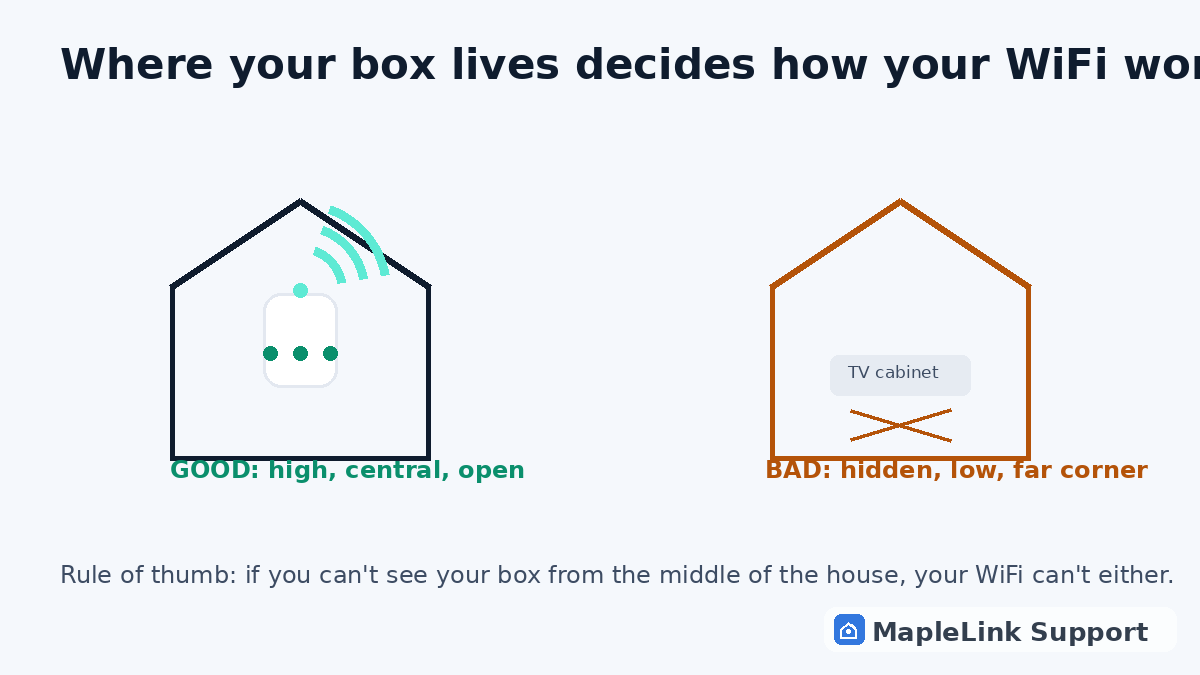
Diagram comparing good router placement (high, central, open) with bad placement (hidden in TV cabinet)
1
2 minutes

Test with another app

If Netflix buffers but YouTube plays fine, your internet is fine — it's Netflix or the TV. If EVERYTHING buffers or the TV says it can't connect at all, keep going.

2
6 minutes

Restart the TV properly

Unplug the TV from the wall for a full 60 seconds, plug it back in, wait for it to boot. TV 'sleep mode' is not a restart — it keeps the broken connection alive.

3
3 minutes

Reconnect it to WiFi

In the TV's network settings, forget your WiFi network and sign in again, like a fresh first-time setup. TVs quietly corrupt their saved connection just like phones do.

4
5 minutes

A wired connection beats WiFi for TVs

If your TV is near the modem, plug in an ethernet cable — even a cheap one. One wire ends buffering forever for that TV. No jack nearby? A powerline adapter uses your home's electrical wiring to bring internet to any outlet.

5
10 minutes

The real fix is usually the WiFi's reach

TVs live at the worst possible end of the house for WiFi. Moving the white box up and out in the open (not behind the TV cabinet, not in the basement corner) fixes the whole home. Big house or long floor plan? A mesh pod halfway between modem and TV is the permanent fix.

The tell: if your phone streams fine next to the couch but the TV struggles, the TV isn't broken — the WiFi signal at that spot is weak. TVs need a stronger signal than phones do.

Still stuck? We fix it in your home — same day.

Flat $139 · diagnosis + repair included · evening & weekend slots.
If we can't fix it, the visit is free.

Chat with us now

Related guides

WiFi dead zones & mesh pods explained →TELUS internet slower than your plan →How to restart your TELUS modem →WiFi connected but no internet → Xbox / PlayStation lag & disconnects →

Quick answers

Why does my smart TV keep losing WiFi?
Weak signal plus an old WiFi chip in the TV. Moving the modem or adding a mesh pod fixes it permanently.
Is buffering a sign I need a faster internet plan?
Usually not — it's a signal problem, not a speed problem. Test: stand next to the modem with your phone. If speed is fine there, you don't need a faster plan; you need better WiFi reach.
Will an ethernet cable really help?
Yes — it's the single most reliable fix for a buffering TV. WiFi gets weaker through every wall and cabinet; a wire doesn't care.