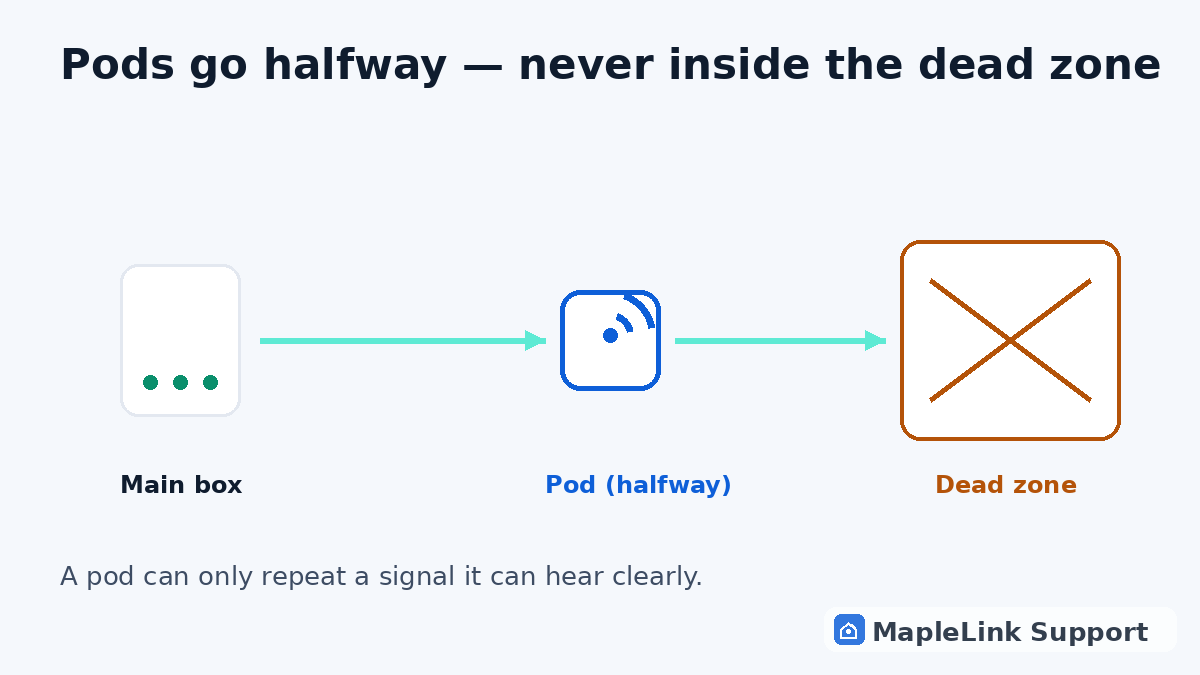
Pods extend — they don't create
A pod grabs your existing WiFi and rebroadcasts it. If it can't HEAR the main box clearly, it just rebroadcasts garbage. Every pod must have a decent signal from the main box — that's the whole game.
Halfway, not all the way
Put pods roughly halfway between the white box and the dead zone — not INSIDE the dead zone. One pod per floor in multi-level homes. Open shelves beat cabinets and closets; pods hate being hidden behind TVs.
Restart order matters
Main box first: unplug 60 seconds, plug back in, wait for solid light. THEN each pod, one at a time, waiting a couple of minutes between them. Pods re-find their parent network in order — rebooting everything at once confuses them.
Read the pod light
Each pod has a small light: solid = happy and connected; blinking = pairing or searching (give it a few minutes); red or off = it can't reach the main box — move it closer and restart it.
Know when pods aren't the answer
Pods can't fix a badly positioned main box, aging hardware, or a house that's simply too large for the equipment — those need the box relocated or a different mesh setup. That's exactly the kind of call we make on a visit.
Still stuck? We fix it in your home — same day.
Flat $139 · diagnosis + repair included · evening & weekend slots.
If we can't fix it, the visit is free.